
Google Workspace CLI
Google Workspace CLI
Struggling to manage Google Workspace from the command line? gws provides a CLI that automatically supports all Google Workspace APIs. The repository has hundreds of stars on GitHub. The diagram below shows the main path.
I am looking at Google Workspace CLI as an engineering system. I care about where work moves, where state is saved, and what happens when one part fails.
System overview
The names change from project to project. The design questions do not. The diagram keeps the main path small so the handoffs are easy to see.
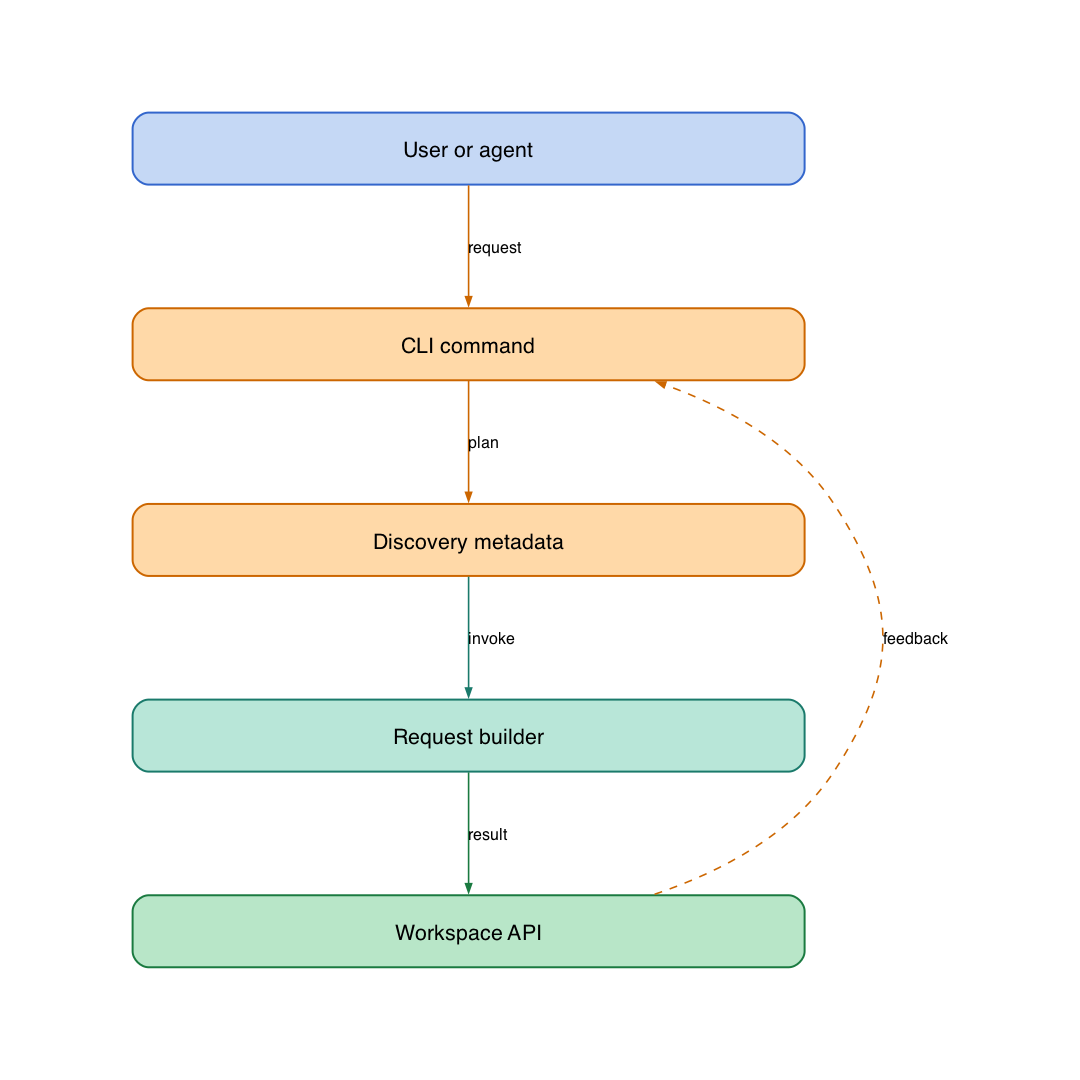
Main components
- Dynamic command generator builds CLI from Google’s API documentation.
- Authentication manager handles OAuth and service accounts.
- API request executor sends HTTP requests with validation.
- Response processor converts API responses to JSON.
Design questions
Before using a system like this with a real team, I would ask:
- Where is state saved? What happens after a restart?
- Which calls are safe to retry? Which ones need an idempotency key or a workflow record?
- What can the agent access? Keep user input, generated code, services, and local credentials in separate trust boundaries.
- How does an operator see a failure instead of finding it later inside a queue or background worker?
The happy path is easy to draw. The hard part is restart, retry, and partial failure.
When it is useful
Use this kind of system when the work repeats and someone needs to inspect what happened. For a one-off task, it may be more machinery than you need.
Source
The project is open source on GitHub. I expanded the original project summary into an engineering note for the Ming Dao School library.